
How to Plan a Two-Photo Halloween Video
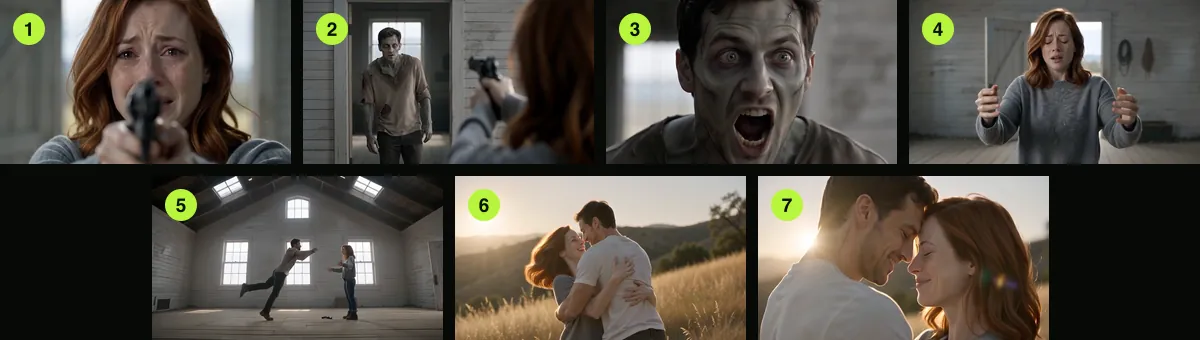
A two-photo video starts with two decisions: who anchors each role, and what kind of scene should surround them. In this generator the first reference is the survivor and the second is the returning character. A person or a pet can fill the second role.
The finished clip is 15 seconds. Begin with the images, then choose a setting and a frame shape. Seedance 2.0 Mini at 720p uses 12 credits for a 15-second render. The generator displays each option's cost before creation.
Updated
HOW-TO
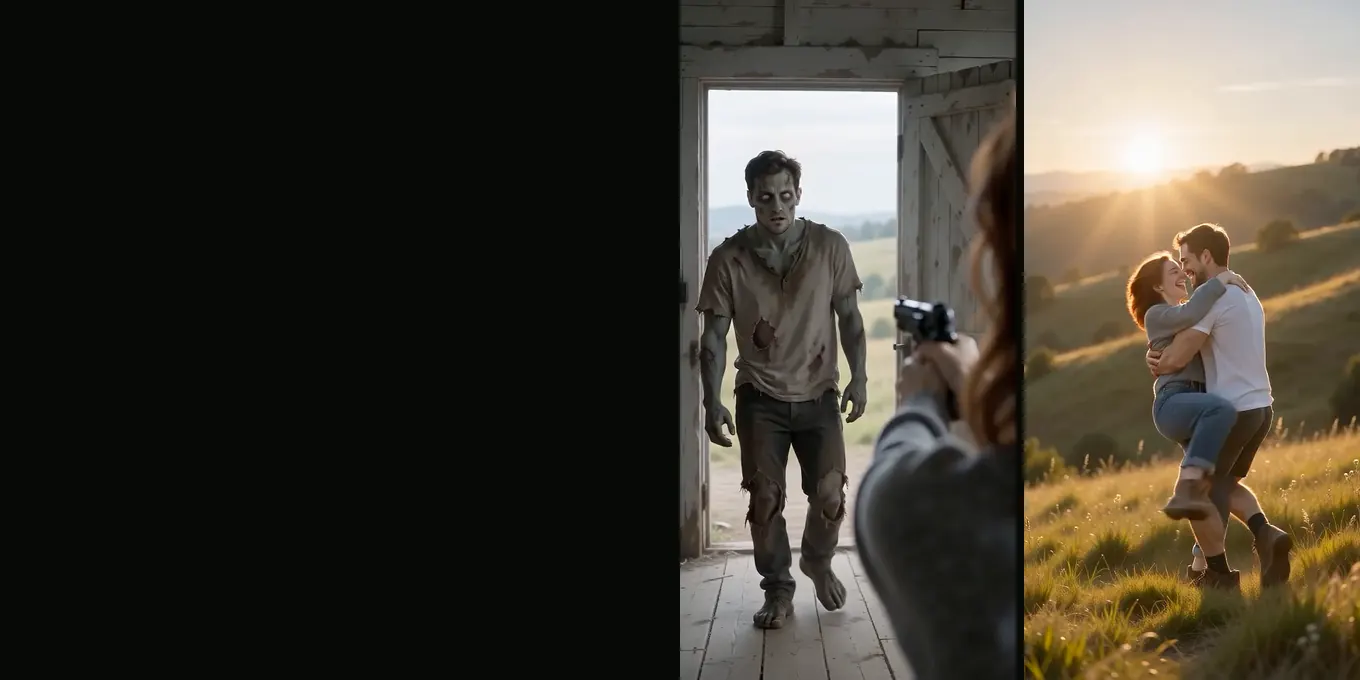
Make an AI zombie video from two photos
- Left photo holds the gun
- Right photo turns
- 15 s with sound
Prepare the references
- Pick one subject per image so the model has a clear identity to follow.
- Use a forward-facing, well-lit photo with the face unobstructed.
- Decide who should be the survivor before placing the images; check the role labels once they load.
For someone else’s likeness, get permission before uploading or publishing the result. Avoid images of people who have not agreed to take part.
Make a version
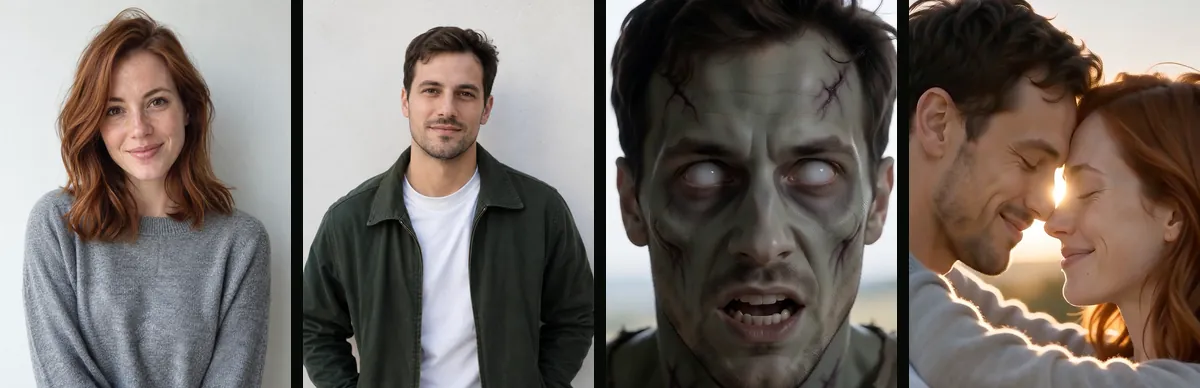
Start with your two references
Set the roles and framing in the generator. Review the displayed credit cost before you submit.
Your two photos
Left: the one holding the gun. Right: the one who turned. One person per photo.
Who has turned
Where it happens
Video
Ready in about 2 to 5 minutes. A failed render returns its credits. See prices
Choose a frame for the destination
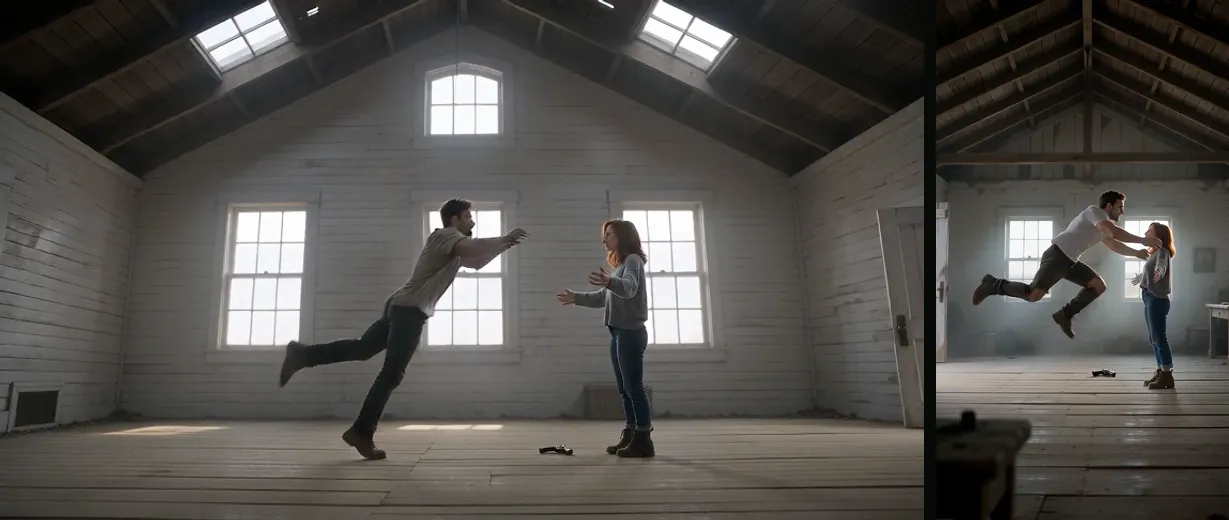
Wide framing leaves room for two characters and a visible setting. A vertical crop gives the faces more screen area on a phone. Choose the layout before rendering because the model composes the action around that shape.
- Use 9:16 for a full-screen phone post.
- Use 16:9 when the background and both figures matter.
- Watch the full export once to check faces, hands, scene transitions and sound.
A quick pre-share check
Generative video can introduce visual details that were not in the prompt. Check that the people are identifiable, the clip has the tone you intended, and no unexpected marks or objects make it unsuitable for your audience.
If the roles are reversed, switch the two references and render again. If the faces drift, try cleaner source images with less obstruction and a simpler background.
FAQ
Do I need to write a prompt?
No. The generator uses a built-in story template. You choose the references, scene and rendering settings.
Can the two references be friends or family?
Yes. Choose subjects who have agreed to be represented, and decide which one should be the survivor and which should return.
Read next
What the Halloween Video Prompt Controls
A field guide to the built-in Halloween prompt and the parts you can change in the generator.
Choose Better Reference Photos for a Halloween Film
Prepare clear, well-lit portraits and check that each image belongs to the intended role.
When an AI Halloween Video Loses the Likeness
Use a clean reference and review where identity changes across cuts.
AI Halloween is an independent site with no ties to TikTok or to any film or TV studio. Clips by other creators belong to them.