
Give a Halloween Reunion Video a Personal Story
The same reunion premise can read as romance, friendship or family affection. The difference comes from who is in each role, the source images and the way you share the finished clip.
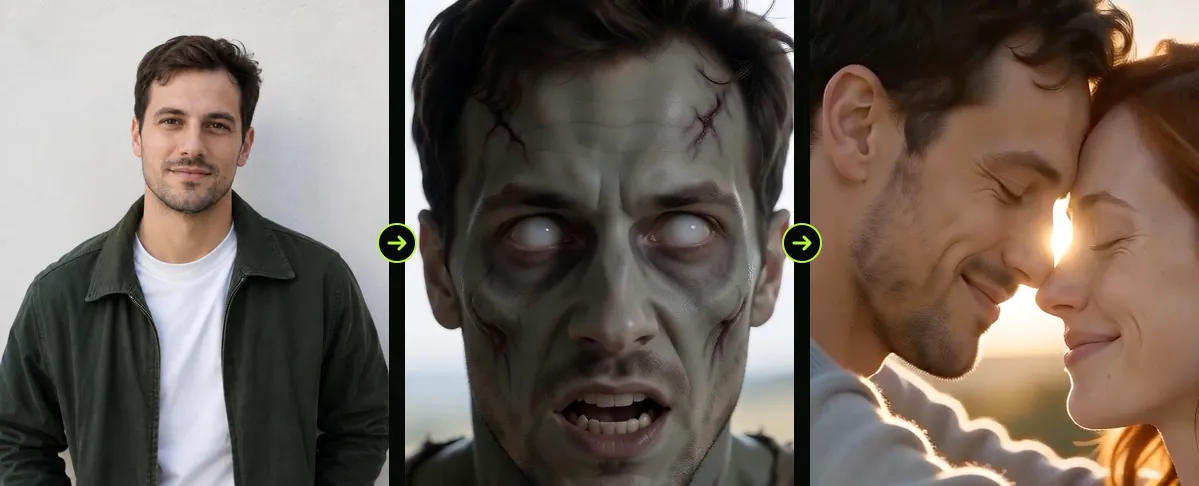
Before you render, decide whose return should drive the story. The second image becomes the returning character. Keep the visual setup simple so the emotional beat remains easy to follow.
Updated

COUPLES
The zombie love story, step by step
- Who turns
- Four scenes
- Both versions
Choose the relationship before the images
A couple may want a tender ending. Friends might prefer an intentionally melodramatic edit. For a parent and grown child, the reunion can feel protective or nostalgic. The generator does not infer those relationships, so the references and your caption carry the context.
- Use a photo each person would be comfortable seeing transformed.
- Place the intended returning character in the second slot.
- Ask before posting a recognizable likeness, even if the clip is meant as a joke.
Add meaning in the edit
A short caption can frame the story without explaining every shot. Try a date, an inside joke or a few words that set up the reunion. Keep text outside the faces and leave the final moment visible.
When sharing with family, review the transformation first. The effect is fictional, but some viewers may find zombie imagery unsettling.
Set expectations for generated video
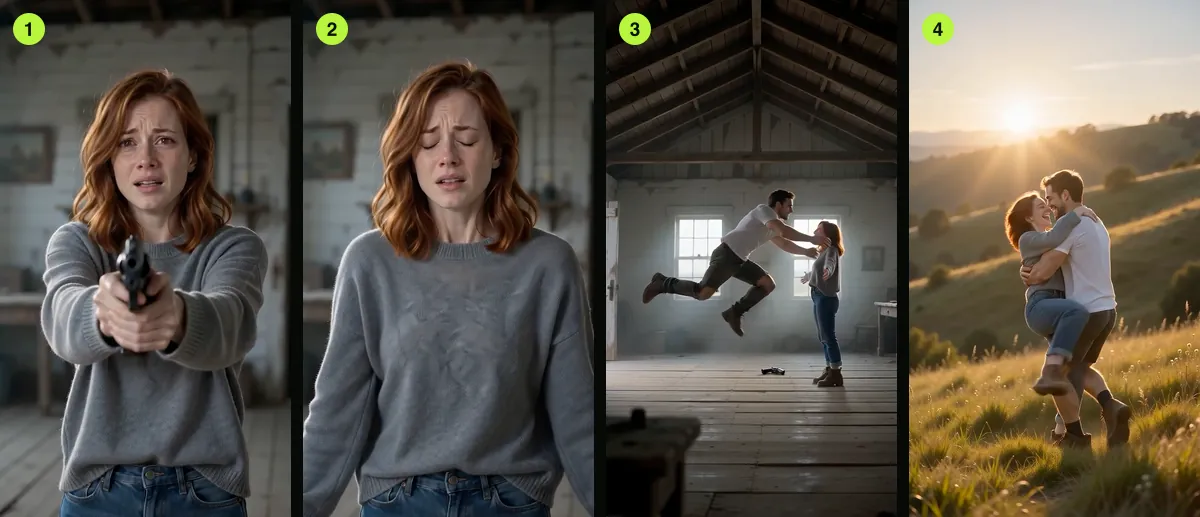
A reference image is a guide, not a guarantee. Hair, clothing and facial details may shift between cuts. Use a second render if you want to explore another take, and compare the whole sequence rather than judging only the opening frame.
FAQ
Does the generator know whether we are a couple?
No. The roles are based on image order. The viewer supplies the relationship through context, captions and how the clip is shared.
Can I make this for an anniversary?
You can use the short film as a playful keepsake. Get consent from everyone shown and review the result before presenting it.
Read next
How to Plan a Two-Photo Halloween Video
Prepare two portraits, assign character roles, choose the frame and review the export.
Make a Halloween Reunion Clip with a Friend
Turn the reunion premise into a playful short film with a friend, sibling or parent.
Make a Halloween Pet Video with a Clear Animal Reference
Use a clear pet portrait, choose Pet mode and check the animal’s markings in the export.
AI Halloween is an independent site with no ties to TikTok or to any film or TV studio. Clips by other creators belong to them.