
Make a Halloween Reunion Clip with a Friend
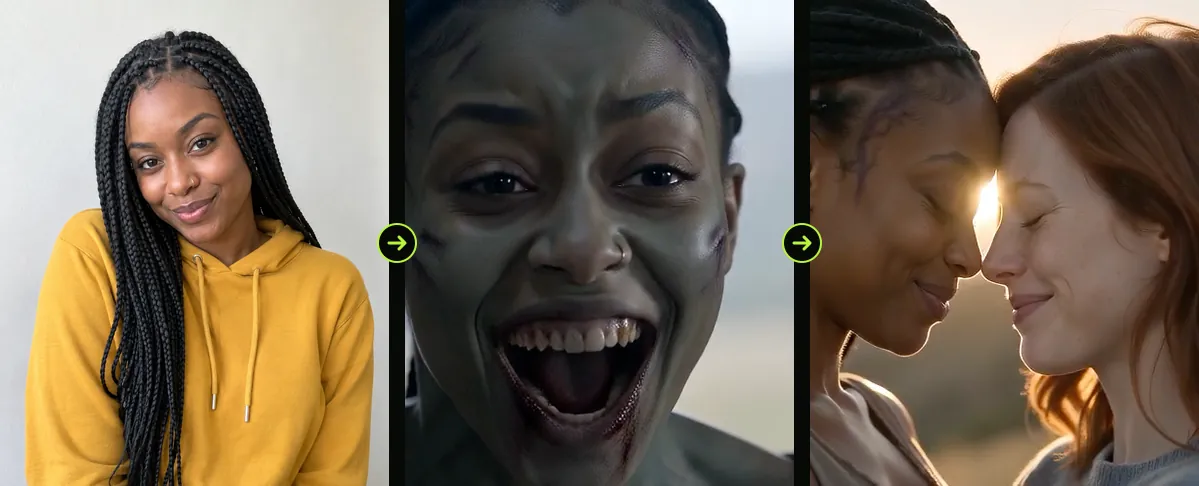
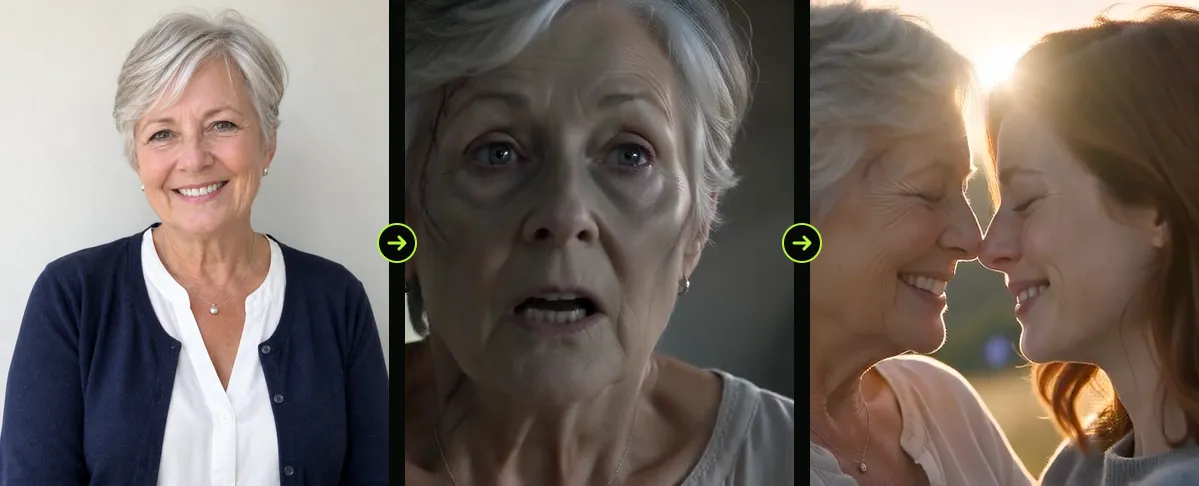
A story about someone returning from an outbreak does not have to be romantic. With a friend, sibling or parent, the same setup can feel affectionate, silly or nostalgic. Choose the roles intentionally so the visual story matches the relationship.
Use two images, one for the survivor and one for the returning character. The generator follows image order rather than knowing who the people are to each other.
Updated

FRIENDS & FAMILY
The zombie trend with your best friend or mom
- Best friends
- Siblings
- Mom or dad
Cast the two roles
Decide who should appear in the first close-up and who should make the entrance. The second reference is the returning character. For a joke, cast the person who would enjoy the dramatic reveal; for a sentimental version, choose the image that carries the emotional weight.
- Ask each person before using a recognizable image.
- Choose photos with similar lighting if you want a more cohesive look.
- Keep one subject in each reference so the roles remain distinct.
Set the tone in the edit
The video itself uses a fixed short story. Your caption can make it feel like a friendship joke, a family reunion or a dramatic Halloween card. Keep the line brief and avoid explaining what the viewer can already see.
Share thoughtfully
A fictional transformation can still surprise someone. Show the finished version to the people featured before posting publicly, and choose a non-graphic preview if the audience may include young children.
FAQ
Can I use the generator with a sibling or parent?
Yes. The Couple option accepts two people. The role order comes from the references, not the relationship between them.
How can I make it more obviously funny?
Use an intentionally dramatic caption or soundtrack in your editor. Keep the generated action uncluttered so the joke lands.
Read next
Give a Halloween Reunion Video a Personal Story
Choose the returning character and set a tone that fits your relationship.
How to Plan a Two-Photo Halloween Video
Prepare two portraits, assign character roles, choose the frame and review the export.
Captions and Sound for a Halloween Reveal
Use text and audio to frame the reveal without obscuring the action.
AI Halloween is an independent site with no ties to TikTok or to any film or TV studio. Clips by other creators belong to them.