
How to Make an AI Zombie Video, Step by Step
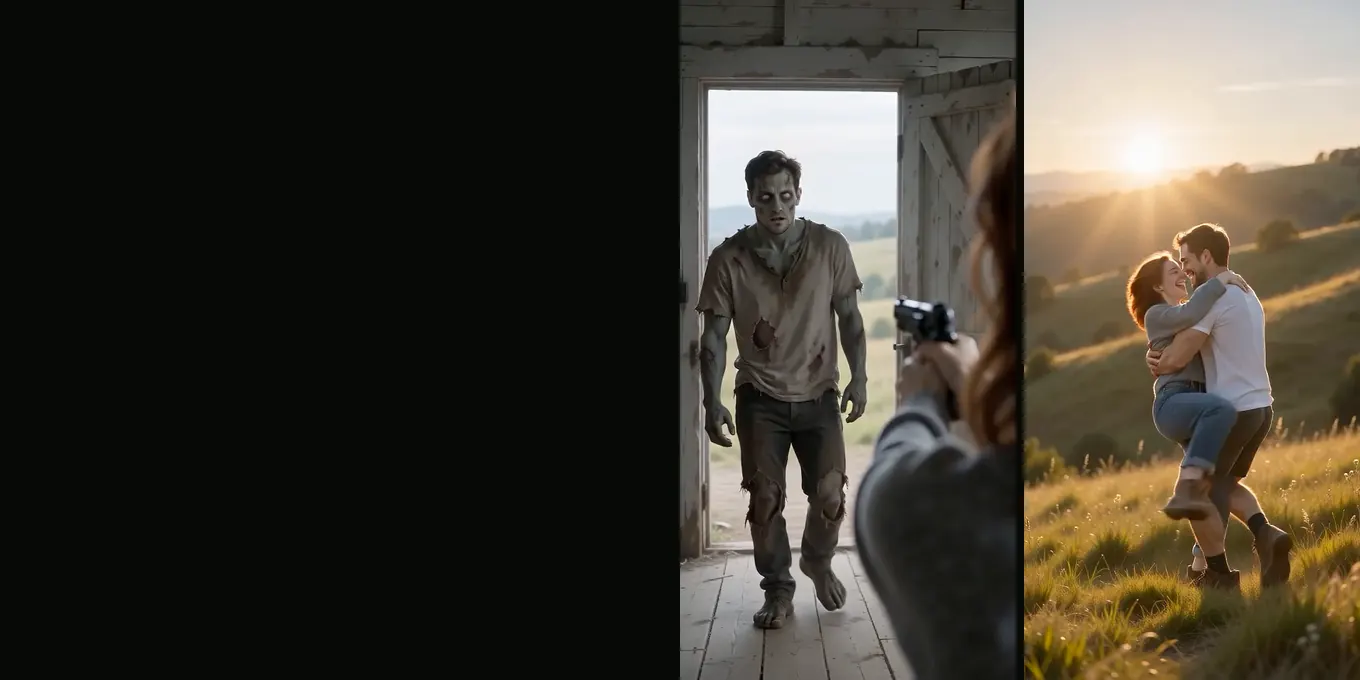
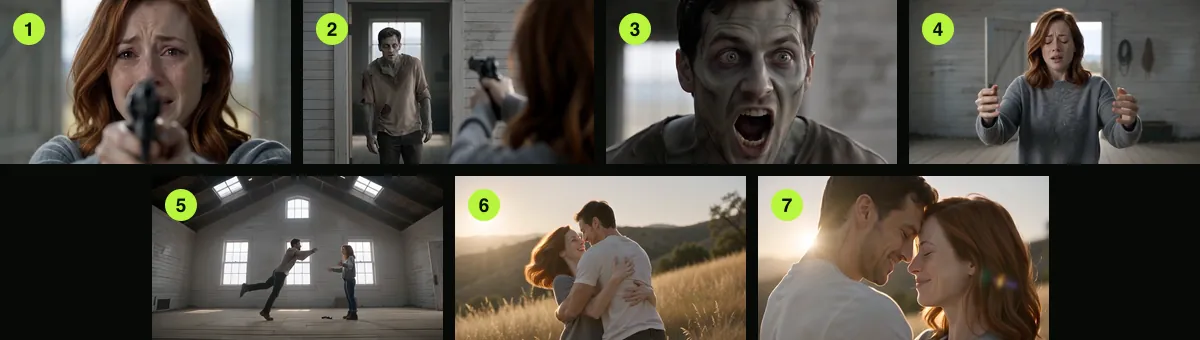
This guide walks through the AI Halloween generator one control at a time. You need two photos and a few minutes. The result is a 15-second MP4: a survivor raises a gun at someone who has turned, drops it, and the zombie's leap lands as a hug in a sunny meadow.
Nothing here needs a prompt or an editing app. The default settings (Seedance 2.0 Mini, 720p, 16:9) cost 12 credits, and every price is shown on the button before you create.
Updated
STEP BY STEP
Your AI zombie video, control by control
- Photos and cast
- World and frame
- Create and download
Step 1: Cast your two photos
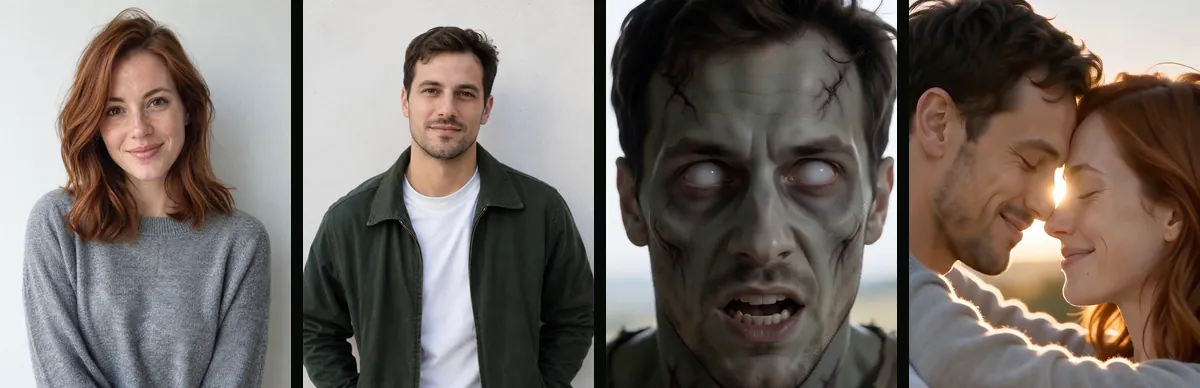
The first card is "Cast your two photos". The left slot is the survivor, labelled "Survivor · keeps the gun". The right slot is "Plays the zombie". Each slot takes one photo with one person in it. Tap a slot to choose a photo from your phone or computer.
- Once a photo is in, a small tag stays under it: "Survivor" or "Zombie". That is how you know which role it has.
- Put them the wrong way round? Tap the round ⇄ button between the two photos to swap them.
- Each photo is checked when it is added. A photo that fails the content check is refused before anything is charged.
Which photos work best is covered in best photos for an AI zombie video.
Try it here
Add your two photos
Left holds the gun, right has turned. The button shows the credits (12 at the default 720p) before you create.
Cast your two photos
Left: the survivor, who keeps the gun. Right: the one who has turned. One person in each photo.
Who plays the zombie
Where the standoff happens
Video
Render time: up to about 5 minutes. If it fails, the credits come back. See prices
Step 2: Who plays the zombie
Choose Couple when both photos are people: a partner, a friend, a sibling or a parent. Choose Pet when a dog or cat has turned. In Pet mode the left photo is you and the right photo is your pet, and the last shot becomes you hugging the animal.
Step 3: Where the standoff happens
Pick one of five worlds for the standoff: Farmhouse, Fallen City, Blizzard, Empty Mall or Night Subway. The world changes the first nine seconds (place, light, sound, where the gun lands) but not the price or the ending. Details: zombie apocalypse AI video.
Step 4: Video settings
The Video card shows the model, the quality and the frame, for example "Seedance 2.0 Mini · 720p, 15 s · 16:9 landscape". Tap Change to open it. The length is always 15 seconds for this effect.
| Setting | Options | What it changes |
|---|---|---|
| Model | Seedance 2.0 Mini, 2.0 Fast, 2.0, 2.5 | Look and price; Mini is the default we tested |
| Quality | 480p, 720p, and 1080p on Seedance 2.0 and 2.5 | Sharpness and price |
| Frame | 16:9, 9:16, 1:1, 4:3, 3:4 or 21:9 | Shape of the video; we tested 16:9 and 9:16 |
Prices for one film run from 6 credits (Seedance 2.0 Mini, 480p) to 108 (Seedance 2.5, 1080p). The default Seedance 2.0 Mini at 720p is 12 credits; at 480p it is 6.
Step 5: Create, wait, download
- Press "Create my Halloween film · 12 credits". If you are not signed in, you sign in with Google first. If your balance is short, the price options appear.
- The credits are taken when the render starts. The provider estimates up to about 5 minutes. You can leave the page; the video keeps rendering.
- When it is ready it plays in the preview and is saved under My videos. Download the MP4 from there.
- If the render fails, the credits come back automatically.
Before you post it
- Watch the whole film once at phone size.
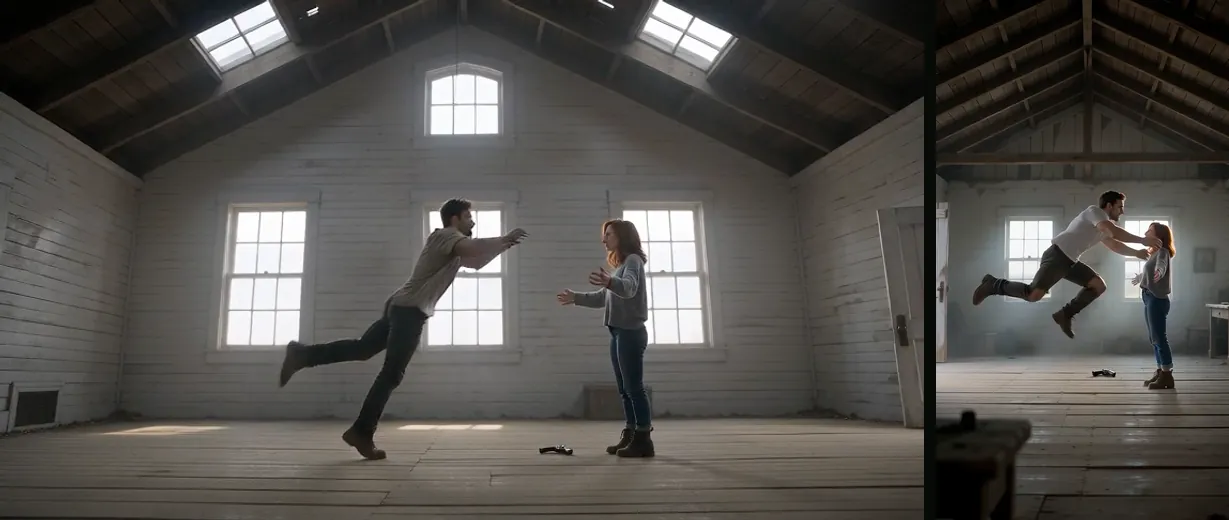
- Check the zombie close-up (around 4 to 5 s) and the last shot (12 to 15 s): those show the faces most clearly.
- In our tests the leap sometimes came about 1.5 s late, leaving a shorter memory. That is normal for this model.
- Ask the people in it before you post. Caption it as AI if your platform asks for that.
Uploaded photos are deleted 7 days after the render. The MP4 stays in My videos until you delete it.
FAQ
- How long does the whole thing take?
- About a minute to set up and up to about 5 minutes to render, by the provider’s estimate.
- Do I need an account?
- Yes, to create and keep videos. Sign-in is with Google. You can set everything up before signing in.
- Is there a watermark?
- No. The MP4 has no watermark and no text on screen.
- Can I make it again with the same photos?
- Yes. Each render is a new take and costs credits again. Results differ from one render to the next.
Read next
- 01Best Photos for an AI Zombie Video: What to UploadA checklist for the two photos, including pets, and the problems each photo mistake causes in the film.
- 02AI Zombie Video Doesn’t Look Like You? 7 FixesSeven fixes for likeness and casting problems, from swapping the photos to choosing a better close-up photo.
- 03Edit Your AI Zombie Video in CapCut: Song, Text, ExportA finishing pass in CapCut or any phone editor: captions, sound, crop, slow motion and export.
AI Halloween is made independently and is not connected with TikTok or any film or TV studio. Each creator’s clip stays theirs.