
How the Zombie Leap Match Cut Works (and How to Edit One)
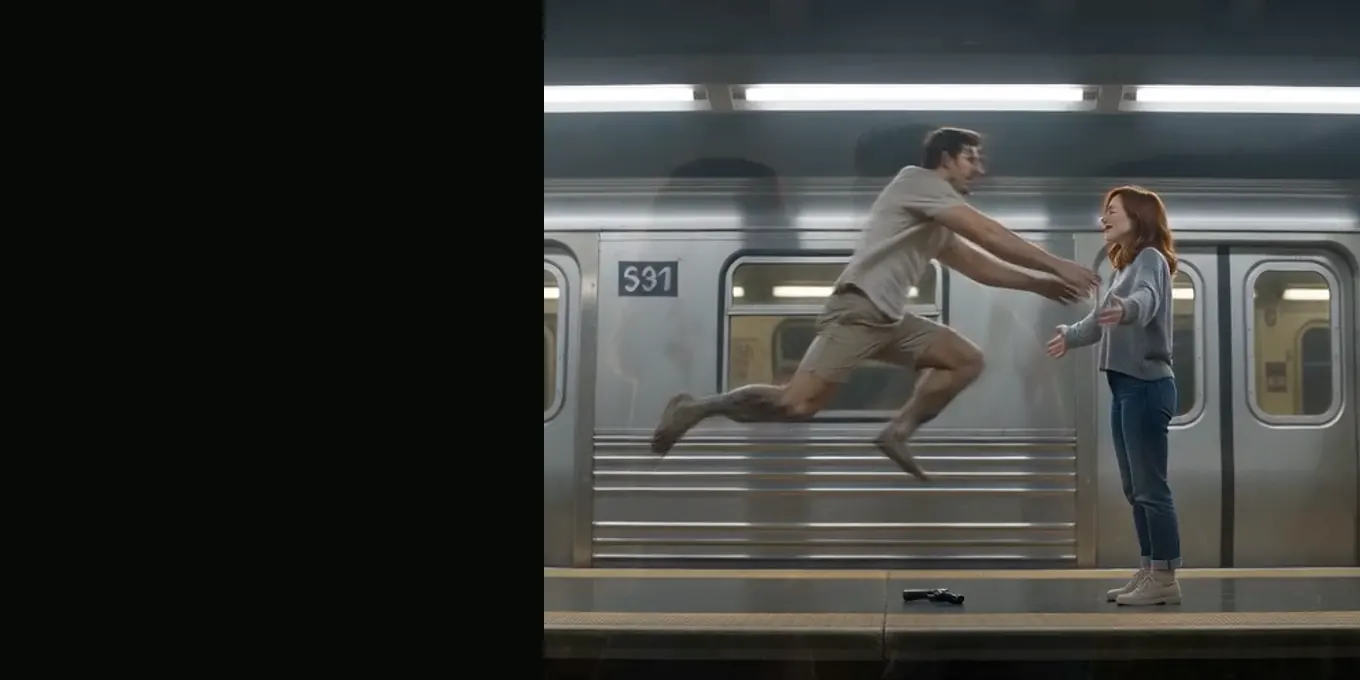
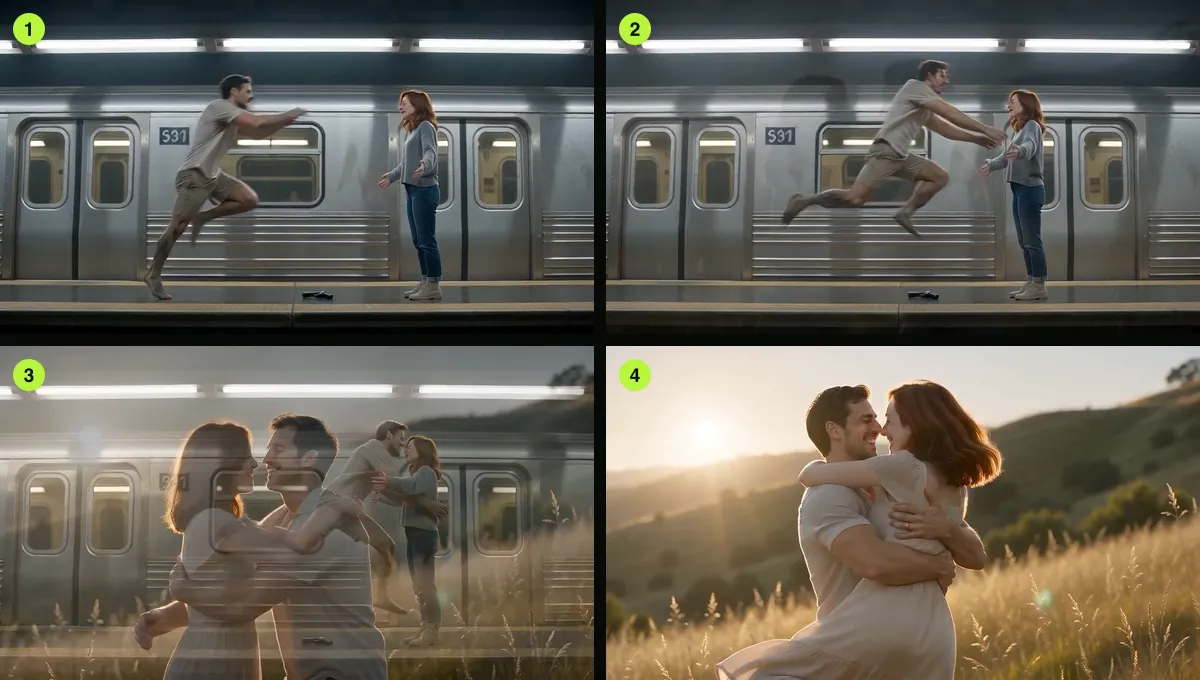
The moment everyone remembers in the zombie trend is a match cut. The turned one leaps at the survivor in the ruins, and on the cut the same leap, in the same position on screen, lands in a sunny meadow as a hug. Your eye follows the movement across the cut, so the change of place feels like a change of time.
In the AI Halloween film this happens at 9 seconds, between shot 5 (the leap in the world you chose) and shot 6 (the meadow). This guide explains what makes it work and how to rebuild it in an editor if you make the two halves separately.
Updated
AT 0:09
The leap that lands as a hug
- Position, direction, timing
- How the prompt asks
- Edit your own
What a match cut is
A match cut joins two shots that share a movement, a shape or a position in the frame. Here the shared thing is the leap: the body is in mid-air, at the same size and the same place on screen, in both shots. Only the world and the light change.
How our prompt asks for it
Shot 5 (7 to 9 s) is a wide side-on shot: the survivor on the right with open arms, the turned one running in from the left and leaping, "held in mid-air an instant before they touch". Shot 6 (9 to 12 s) is "a match cut on the leap … that carries the same leap, same framing and same body positions into the meadow". A brief dissolve is allowed.
In our first 16:9 test the model made a short dissolve rather than a hard cut. It still reads as the trend, because the bodies stay in place. The full text is on the zombie love story prompt page.
Three things that must line up
- Position: the leaping body at the same place in the frame before and after.
- Direction: moving the same way (left to right in our film).
- Timing: cut at the top of the leap, when the body is fully in the air.
Editing your own match cut
If you generate the two halves separately (for example with a prompt tool that only makes short clips), put the ruins clip and the meadow clip next to each other on the timeline and:
- Find the frame where the leap peaks in the first clip and cut there.
- Find the matching frame in the second clip, with the body at the same height, and start there.
- If the positions do not match exactly, scale or move the second clip a little until they do.
- If it still jumps, add a dissolve of 4 to 8 frames. The trend versions often use one.
- Play it at phone size. A cut that looks rough on a monitor often looks fine on a phone.
When the match cut fails
| What you see | Likely cause |
|---|---|
| The leap never happens | Tall frame without the extra instruction, or a short clip |
| The zombie looks healthy before the cut | The model started the happy ending early |
| The meadow starts too early | The leap was late or skipped |
| The gun appears in the meadow | The prompt did not say the meadow has nothing from the standoff |
FAQ
- Is a match cut the same as a transition effect?
- No. A match cut is a plain cut that works because the two shots match. A transition effect (a wipe, a zoom) is something added on top.
- Do I need to edit the AI Halloween film?
- No. The cut is already in the 15-second file.
- Where exactly is the cut in your film?
- It is asked for at 9 seconds. In our retests the leap came about 1.5 s late, so the cut landed later too.
Read next
- 01Edit Your AI Zombie Video in CapCut: Song, Text, ExportA finishing pass in CapCut or any phone editor: captions, sound, crop, slow motion and export.
- 02Can You Make the Zombie Trend With Gemini or ChatGPT?What Google’s Gemini app and OpenAI’s Sora offered for video when we checked, and how to make the trend with them.
- 03AI Zombie Video Doesn’t Look Like You? 7 FixesSeven fixes for likeness and casting problems, from swapping the photos to choosing a better close-up photo.
AI Halloween is made independently and is not connected with TikTok or any film or TV studio. Each creator’s clip stays theirs.